Subscription Manager: Reko
- 4.2
- Rating
- 10.00K
- Installs
- Free
- Price

 Analysis by App-foxy
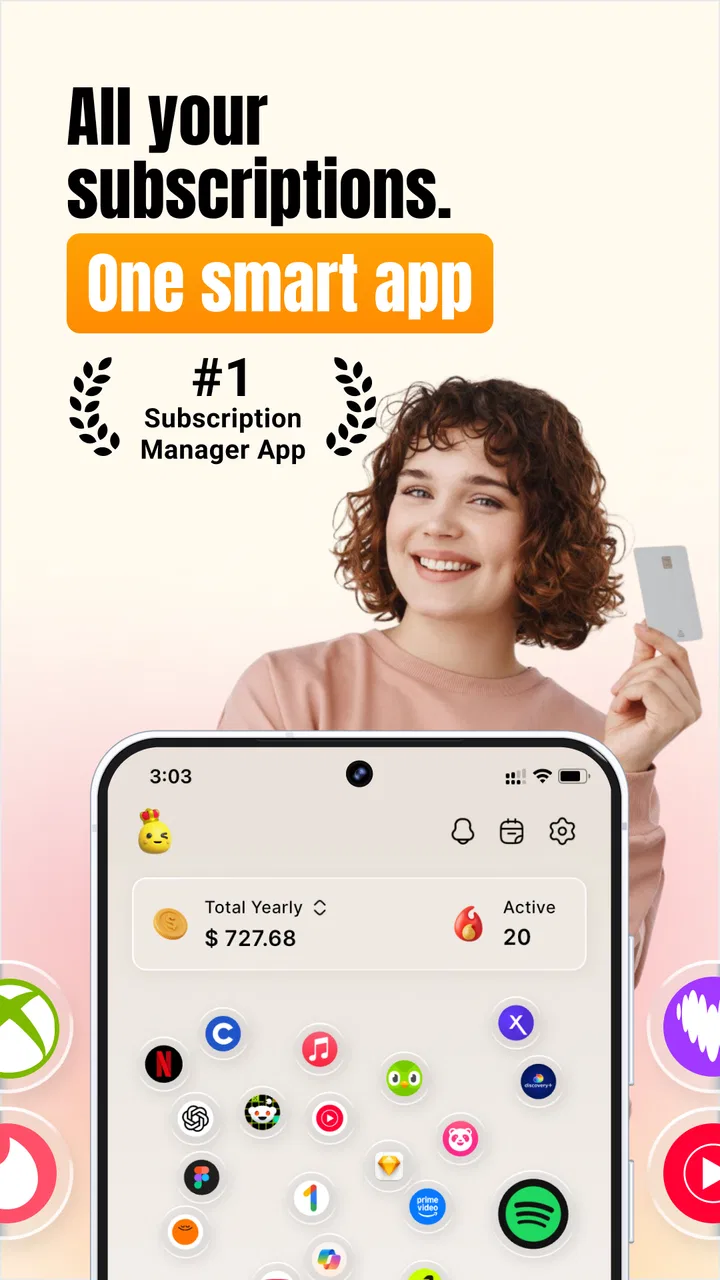
Keeping track of subscriptions sounds simple until several free trials, app renewals, household bills, and forgotten services start landing on different dates. Subscription Manager: Reko is a finance app from Playground Studio LLC that aims to make that mess easier to see. I found its appeal less in complicated budgeting and more in giving recurring payments a clear place to review before they quietly renew.
The app is free to download and is rated for Everyone, with optional in-app purchases ranging from $4.49 to $8.99 per item. Its store presence is still relatively modest, with over ten thousand installs, but it has built a 4.2 average from 275 ratings. That combination tells me this is a focused utility rather than a widely established financial platform. It is worth trying if your main problem is remembering subscriptions, trials, bills, and renewal dates—not if you want a complete bank-account replacement.
Where the first setup usually becomes confusing
The most important thing to understand before opening Reko is what kind of help it provides. It is designed to organize subscription information and reminders, not to magically reverse a charge or cancel every service from one central control panel. That distinction matters because “cancel a subscription” can mean two different things: finding the correct cancellation route, or completing the cancellation inside the provider’s own account system.
You May Also Like

 Blood Strike: 2.5 Anniversary
Blood Strike’s Loadouts Turn Every Drop Into a Tactical Gamble
A close look at Blood Strike’s custom loadouts: how fast access to signature weapons reshapes its battle royale rhythm, rewards preparation, and narrows the gap between fights.

 Pandora - Music & Podcasts
Pandora’s Music Is Easy to Start, but Harder to Recover
Pandora’s strength is its low-effort path from a seed to a station. Its weak spot is how much confidence it asks you to place in connection, setup, and quiet recovery.

 8 Ball Pool
 Is Built on Rivalries, Rematches, and Routine
A close look at the rivalries, rematches, shared routines, and unanswered safety questions that turn a quick pool match into a persistent mobile community.

 Samsung Music
’s Quiet Strength Is Playing What You Already Own
Its reach comes less from spectacle than from dependable access to a personal library. That simplicity is both the app’s strongest retention engine and its ceiling.

 AccuWeather: Weather Radar
AccuWeather Review: A Quick, Clear Forecast for Everyday Decisions
For everyday plans, the best forecast is the one you can understand quickly. AccuWeather makes rain timing, radar, and local conditions easy to act on, with a few trade-offs.

 Hill Climb Racing
Why Hill Climb Racing Still Turns Crashes Into One More Run
A tiny car, a bumpy hill and one more upgrade: Hill Climb Racing keeps resurfacing because its simple chaos makes every near-miss feel personal.
More From Our News Desk
View All News


I would begin with a small inventory instead of trying to enter everything at once. Add the services you actually pay for, then check each renewal date against an email receipt, app-store account, bank statement, or provider account. This approach reduces the chance of creating a tidy-looking list with inaccurate dates. A reminder that arrives at the wrong time is worse than no reminder because it creates false confidence.
Free trials deserve special attention. They are easy to forget because the initial cost is zero, while the later renewal may be much less obvious. When I use a subscription tracker, I treat the trial end date as the key date, not the day I started the trial. That makes the app useful as a decision prompt: keep the service, cancel it, or confirm that the trial has already changed into a paid plan.
Another common sticking point is confusing a subscription with a one-time payment. A recurring charge belongs in a tracker because it needs future attention. A single purchase usually does not. Keeping those categories separate makes the list easier to scan and prevents the app from becoming a general ledger filled with transactions it was never meant to manage.
What to prepare before entering your list
Before setup, I recommend collecting the name of each service, its billing frequency, the next expected date, and the account or store through which it is billed. You do not need to make this a large project. A quick search through recent receipts can reveal subscriptions that are easy to overlook, especially services billed annually rather than monthly.
Use the same naming style for similar services. For example, distinguish a family plan from an individual plan instead of entering both under a vague label. This small habit becomes valuable later when you review what can be removed. It also helps prevent the classic mistake of cancelling the wrong plan because two entries look almost identical.
Reko’s value depends heavily on the quality of what you enter. That is not a criticism unique to this app; any manual subscription manager has the same trade-off. You get control and privacy from maintaining the list yourself, but you also take responsibility for keeping it current. If you want automatic discovery from financial accounts, a bank tool or a more connected budgeting service may suit you better.
Setup checks that prevent bad reminders
After entering a recurring payment, I would immediately verify whether the date represents the next charge or the original signup date. Those are not interchangeable. If the app offers a field for frequency, choose the pattern that matches the provider rather than assuming every service renews monthly. Annual plans are particularly easy to misread when you are mentally converting them into a monthly cost.
I also recommend checking the currency and amount carefully when reviewing an entry. A price can change after a promotional period, and a trial may move to a different rate. If the amount is uncertain, use the latest receipt as your reference and revisit it after the next renewal. The goal is not to create a perfect financial forecast; it is to make the next decision visible enough that you do not forget it.
Keep the first session deliberately short. Entering just the subscriptions you know well lets you learn how Reko presents dates, renewal information, and cancellation-related actions without making the process feel like paperwork. Once that basic workflow feels comfortable, add less frequent bills and older services.
Because the app is currently version 3.0.11 and supports Android 7.0 or later, compatibility should cover many older Android phones. Still, I would check the device’s available storage, system date, and notification settings before blaming the app for a reminder problem. An outdated device clock can make any date-based tool appear unreliable.
Recovering when the workflow does not go as planned
The most useful way to recover from an incorrect entry is to fix one detail at a time. If a renewal appears on the wrong day, first compare the date with the provider’s receipt. Then check the billing interval. Finally, review whether the service is billed through an app store, a website, or another account. Changing several fields at once makes it difficult to know which correction solved the problem.
If you cannot find a subscription you expected to see, search your receipts and account statements before assuming it disappeared. It may have been entered under another name, placed in a different category, or associated with a different billing account. A tracker can only show what has been recorded in it, so a careful search outside the app is often the fastest recovery step.
When a cancellation action does not seem to work, treat Reko as your navigation aid and verify the result with the original provider. Look for a confirmation screen or email, then check whether the service still shows an upcoming renewal. Cancellation is not complete merely because you tapped a button or opened the right settings page. The provider’s own account status is the final check that matters.
This is one of the app’s practical trade-offs. A centralized list is convenient, but the actual subscription relationship usually remains with the service that charges you. That means you may still need to move between Reko and the relevant app-store or website account. I prefer this honest separation to a tracker pretending it can control accounts it does not own, but users expecting one-tap cancellation everywhere may find the workflow less seamless.
A useful weekly review routine
Rather than waiting for a reminder to surprise you, set aside a few minutes each week to scan upcoming renewals. Start with trials and annual plans, because they are the easiest to overlook. Then look for subscriptions you have not used recently. The point is not to cancel everything; it is to make an intentional decision before the charge happens.
For a household, the strongest use case is a shared review conversation. One person may know the entertainment services while another handles software or learning tools. Reko can serve as the central checklist, but each person should confirm the account owner and cancellation path. This avoids a frustrating situation where someone removes an entry from the list but the actual account continues billing.
For freelancers, I would use the app differently. Separate tools that are essential for current work from services kept for occasional projects. Before a quiet month, review the second group and decide whether a temporary cancellation is worthwhile. This is more useful than simply staring at a total because it connects each recurring payment to a real purpose.
Students and people managing tight monthly budgets may benefit from entering trial dates first, then adding recurring bills. That order focuses attention on the payments most likely to arrive unexpectedly. It also keeps the initial setup manageable when there are many small services but limited time to organize them.
When the app is not the cause of the problem
Some apparent failures will come from the phone or the subscription provider rather than Reko. If reminders are late or missing, check whether notifications are allowed, whether the app is restricted by battery-saving settings, and whether the phone’s date and time are correct. These are basic checks, but they explain many problems with date-based apps.
If a charge appears after you cancelled, contact the provider or the store that processed the payment. Reko can help you remember and document what you intended to do, but it cannot decide a refund or alter a merchant’s billing system. Keep the cancellation confirmation and the relevant receipt so you can explain the situation clearly.
If the amount shown in the app differs from your bank statement, compare the billing currency, taxes, introductory pricing, and possible plan changes. A tracker may contain the amount you entered while the provider charges a revised amount. Updating the record is sensible, but do not treat the app’s figure as an official statement.
Likewise, if an account seems to renew on a different date, check the provider’s timezone and billing policy before editing Reko repeatedly. Some services charge when a trial ends, while others bill on a fixed calendar date. The correct solution is to record the date that the provider actually uses, not the date that seems most logical from memory.
How it compares with familiar alternatives
Compared with a notes app or spreadsheet, Reko is more purpose-built for recurring commitments. A spreadsheet can be extremely flexible, but it requires you to design the columns, sort dates, and remember to review them. A dedicated subscription manager reduces that administrative work and keeps the subject focused on renewals and trials.
Compared with a bank app, Reko may be better for planning ahead because you can deliberately list a trial or a subscription before the first charge appears. A bank feed is excellent for confirming what already happened, but it may not make an upcoming renewal obvious. On the other hand, a bank app remains the better source for actual transaction history and confirmed amounts.
Compared with a full budgeting platform, Reko is narrower and potentially easier to maintain. If you need category budgets, savings goals, investment tracking, or detailed income analysis, a broader finance tool will give you more depth. If your only problem is forgotten recurring charges, that extra complexity may be unnecessary.
The free entry point also makes experimentation easy, although optional purchases between $4.49 and $8.99 per item mean you should review what is included before paying. I would first use the free experience with a realistic list and decide whether it solves a recurring problem. Paying only makes sense if the additional capability saves enough time or prevents enough unwanted renewals to justify it.
Who should use it—and who should skip it
I would recommend Reko to someone who repeatedly forgets trials, wants a dedicated renewal checklist, or feels that subscriptions are scattered across too many accounts. It is also a sensible fit for people who do not want to connect financial accounts just to keep track of recurring services. Manual entry takes effort, but it can give you a clearer sense of what you actually consider important.
I would be more cautious recommending it to someone who expects automatic bank synchronization, complete transaction categorization, or guaranteed cancellation from inside one screen. Those needs point toward a connected budgeting platform or the account-management tools supplied by the relevant app store and providers.
It may also be a poor fit if you rarely have recurring payments. In that case, a calendar reminder or a simple note could be faster. The app earns its place when the number of renewals, trials, and bills is large enough that a basic reminder list starts becoming unreliable.
My practical verdict after using the workflow
Reko’s best quality is its focus. It takes a problem people often handle reactively—remembering a charge after it happens—and turns it into a review habit. The app is not a replacement for provider accounts, bank statements, or a full budget, but it can sit neatly between them as a forward-looking checklist.
The setup deserves care, especially around trial endings, annual billing, duplicate entries, and the difference between opening a cancellation page and completing cancellation. Once those details are handled, the workflow becomes more useful than a generic note because it keeps attention on the dates that can cost you money.
Playground Studio LLC has positioned this as an approachable finance utility rather than an all-purpose money manager. Its Everyone rating, free download, and support for Android 7.0 or later make it accessible to a broad range of users, while the optional purchases give heavier users a reason to inspect the app more closely before upgrading. I would start small, verify every date against the original provider, and use it as a weekly review tool.
My final view is positive but conditional: Reko is most valuable when you want control over subscription awareness, not when you want the app to control your accounts for you. If forgotten renewals are the leak in your finances, it is worth testing. If you need automatic financial analysis or a complete cancellation service, choose a more connected alternative instead.
FAQs for Subscription Manager: Reko
01What is Subscription Manager: Reko used for?
Subscription Manager: Reko is designed to help you organize and monitor recurring subscriptions in one place. You can record services such as streaming platforms, cloud storage, memberships, software plans, and other regular payments. By keeping renewal dates, billing intervals, and costs together, the app can make it easier to understand where your money is going and avoid forgetting upcoming charges.
02Does Subscription Manager: Reko connect directly to my bank or payment accounts?
The app’s handling of subscription information depends on the features available in the version you install and the permissions you grant. Before adding sensitive financial details, review its privacy policy and the access requested during setup. If direct account synchronization is not enabled or you prefer not to use it, you can generally manage subscriptions manually by entering the service name, price, billing cycle, and renewal date.
03Can Reko remind me before a subscription renews?
One of the most useful reasons to use a subscription manager is receiving advance reminders before recurring payments are charged. Reko can help you keep track of renewal dates and may provide notifications according to the reminder settings you choose. Make sure notifications are enabled both inside the app and in your phone’s system settings, since battery restrictions or disabled alerts can prevent reminders from appearing.
04Can I track subscriptions billed in different currencies or on different schedules?
Reko is intended for people who manage several recurring services, including subscriptions with monthly, yearly, or other billing intervals. Support for multiple currencies, custom payment cycles, and regional date formats may vary by app version and device. If you pay for services in different currencies, check how totals are displayed before relying on the overview for budgeting, because conversions may not be automatic.
05Is Subscription Manager: Reko free to download, and are there in-app purchases?
The download model, available tools, advertisements, and premium options can differ between Android and iOS and may change after updates. Before installing, check the application-store listing for the current price, trial conditions, and any recurring premium subscription. If you start a trial or paid plan, read the cancellation terms carefully and cancel through the correct store account before the renewal date if you no longer want access.
Pros
- Tracks recurring subscriptions and upcoming renewal dates in one place.
- Supports custom billing cycles for monthly
- yearly
- and irregular payments.
- Helps reveal total spending across entertainment
- apps
- and other services.
- Simple interface makes adding and reviewing subscriptions quick.
- Useful reminders can help prevent unwanted renewals and late cancellations.
Cons
- Manual entry may be required if automatic account syncing is unavailable.
- Some advanced tracking or reminder features may require a paid plan.
- Currency and regional support may vary depending on the user’s location.
- It may not detect subscriptions billed through different app stores automatically.
- Users must keep prices and subscription changes updated themselves.

Subscription Manager: Reko
Gallery